How to pin the 'Files' App to the shelf in ChromeOS via the management console

I pin various apps to the shelf in ChromeOS for our users and for a while have wanted to pin the very useful 'Files' app. Its slightly non obvious how to do this as it's not a WebStore app as it's built into ChromeOS.
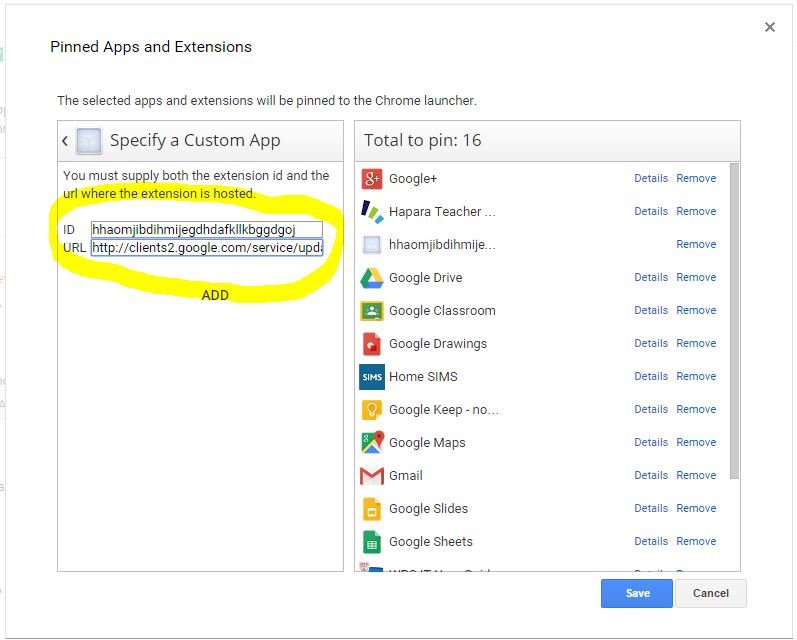
So go to the pin apps dialogue (in user settings of Chrome Management) and add a custom app:

App ID: hhaomjibdihmijegdhdafkllkbggdgoj
URL: http://clients2.google.com/service/update2/crx
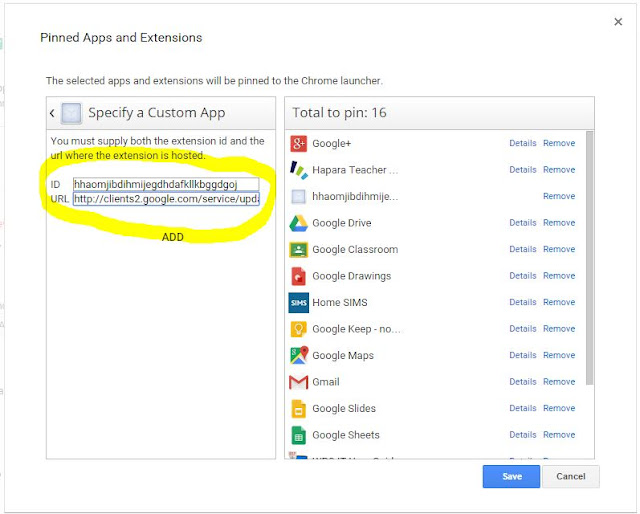
Click save and you are done.


Comments

  1. Hi Roger,

    I realize this post is quite old, but by chance do you remember how you were able to find the App ID of "Files"? I'd love to do this with some of the OS' other builtin applications such as "Shortcuts".

    Thanks a bunch for sharing

    -Jake

    ReplyDelete
  2. still work on october 2019. The Admin interface changed a bit, but this solution is amazing. I subscribe for Jake's question (how could you find the app ID?)
    Thank you!

    [Keywords for italian admins: Come fissare sullo shelf l'applicazione "Files" (esplora risorse) di ChromeOS per tutti gli utenti Chromebook e chromebox dell'organizzazione G Suite].

    ReplyDelete

Post a Comment

Popular posts from this blog

My favorite GAM commands - well a few of them at least!

Where would be without GAM? Paying for expensive syncing tools or doing tedious manual tasks in the admin console. GAM can automate most things you might want to do in G Suite. So these are a few of my favourite commands - one I use either as part of a batch file - or just standalone. There are loads more - but these are ones that are used daily. Classroom Create a spreadsheet of all your domains classes -  gam print courses todrive Create a spreadsheet of a teacher's classes:  gam print courses teacher fred@mydomain.com todrive Bulk create classes: gam csv classes.csv gam create course alias ~alias name ~alias section ~subject teacher ~teacher status ACTIVE where classes.csv is a list of classes you want to make. Add teachers: gam csv teachers.csv gam course ~alias add teacher ~teacher Add students: gam csv students.csv gam course ~alias add teacher ~student Sync Students (in this example to a group - but could be an ou/csv file) gam csv grou...

Delete a specific email using GAM

If a user send an inappropriate email to a loads of people or get stung by some sort of email exploit you can quickly delete the email from all of the recipients using a GAM command. Step 1 - get the email header Go into Google Vault and search for the offending user or someone known to have got the message. Click show details and grab the email ID. This will be a long string of characters followed by @mail.gmail.com Step 2 - find out who has the email Go into Google Vault and find the original message sent by the offending user. Look at the details to see who got it. Copy the list and dump it into a spreadsheet. Clean up to just a list of emails with a column header 'mail'. Save as a csv file. Step 3 - delete messages with GAM Put your CSV file in your GAM folder - this e.g. assumes its called mail.csv Run: gam csv mail.csv gam user ~mail delete messages query rfc822msgid: MESSAGEIDHERE doit The alternative nuke option is: gam all users delete messages query rf...

Collecting Photos/Videos with a Google Form

I recently realised that an easy way to collect and sort Photos and Videos was to use Forms. We had to take photos of every room in the school and have them archived for easy discovery in the event of an insurance claim. So I made a simple form that had the room name as the first question and a file upload question for the next: I linked this to a spreadsheet and added the formula =split(C2,",") to an extra column. This simply splits the list of image urls into separate cells to make them clickable. On a phone, you just load up the form, add the room number, hit the upload button, select upload file and choose Camera. You can then add photos straight from your camera.    Took a couple of minutes to setup and no photo organising required at the end of the process. Quite a neat way of uploading photos and automatically organising them. Also useful as multiple people can use the form and upload photos to the same folder and have ...